
Poppo Live has been one of the leading livestreaming apps since 2022. So many people from more than 150 countries have joined Poppo as a live stream host to connect with the audience, share their talents, and grow their communities. Whether you like singing, chatting, or sharing your daily life, this platform will help you find the right audience. Start your journey right here and follow this guide from creating an account to joining an agency so you can start your livestream.
What Should You Do To Start?
- Step 1: Download the App
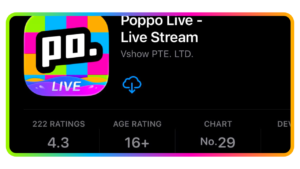
Go to Google Play or App Store and search for Poppo Live. Download and open the app to log in or sign up.
- Step 2: Sign Up Your Account
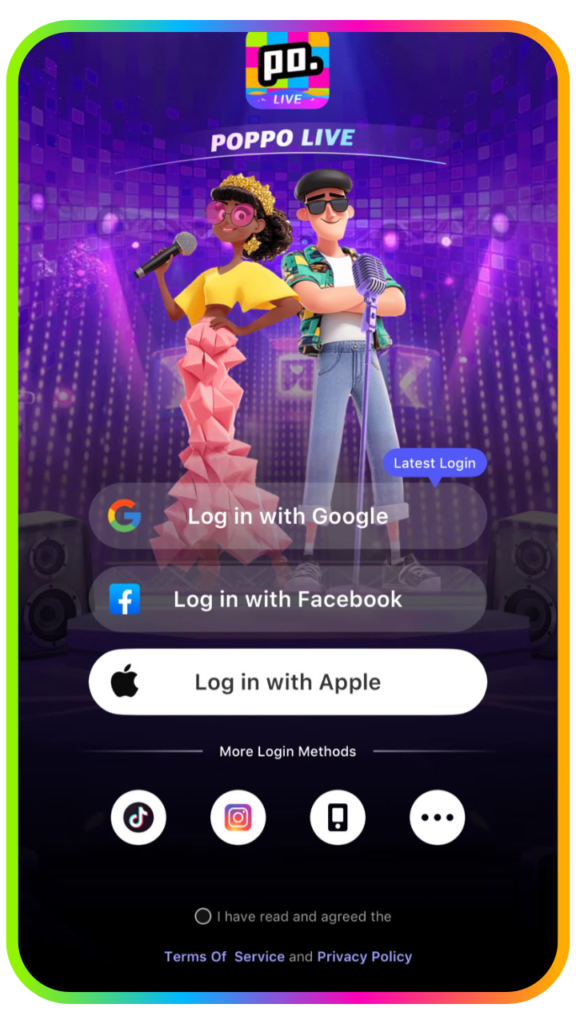
Fill in your personal data or sign up using an active Google Account, Facebook, or phone number. You can’t sign up with the same account if you already created one.
- Step 3: Enter Referral ID
Enter ‘4345306’ when prompted to to join our official agency.
Congratulations! You have created an account. Now you can set up your profile account by filling in personal data, especially self-introductions and tags, to pull your audience before going live. You can pick an agency or start your own livestream.
Why Is Face Verification Important on Poppo Live to Live Stream?
Having a profile is not enough. Confirm your identity to get the audience’s trust and earn more followers. Complete your profile by doing a face authentication and start your live stream after it’s done. Follow these easy steps to upgrade your account status and you’re ready to go. Prove that you’re a real person by following these 4 steps.
- Step 1: Go to your Poppo Live app profile
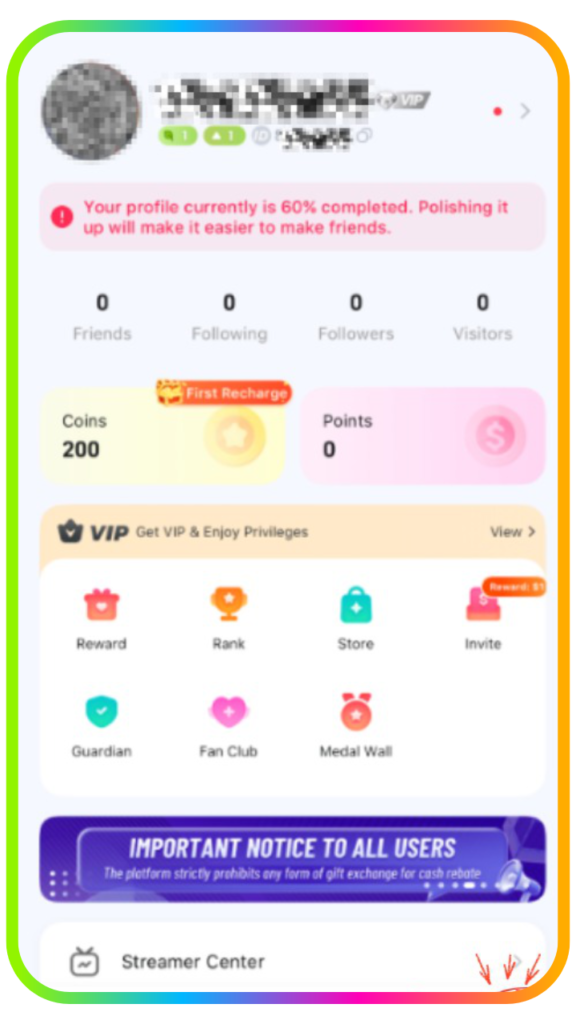
- Step 2: Scroll down until you find ‘Authentication.’
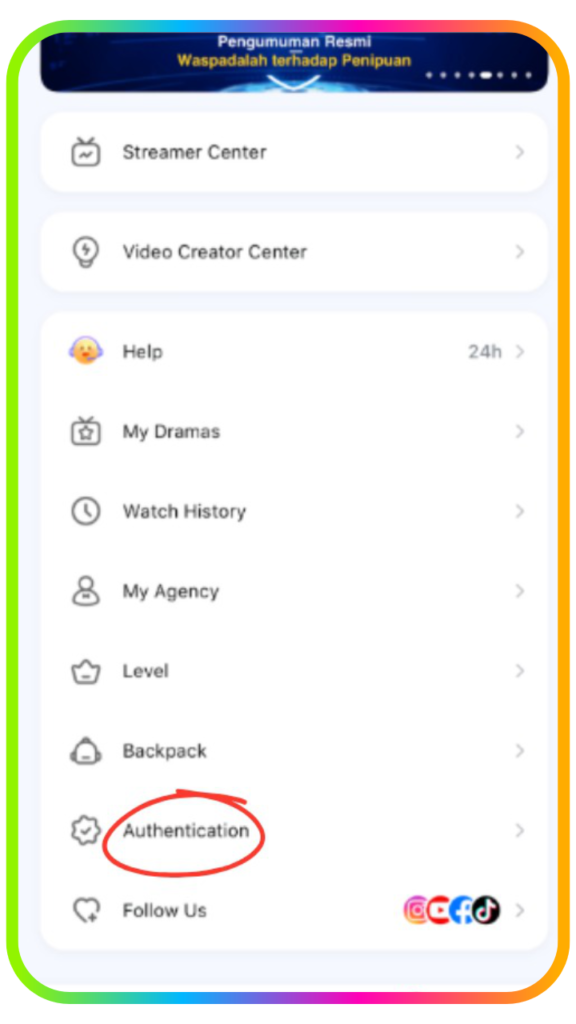
- Step 3: Click on Face Authentication
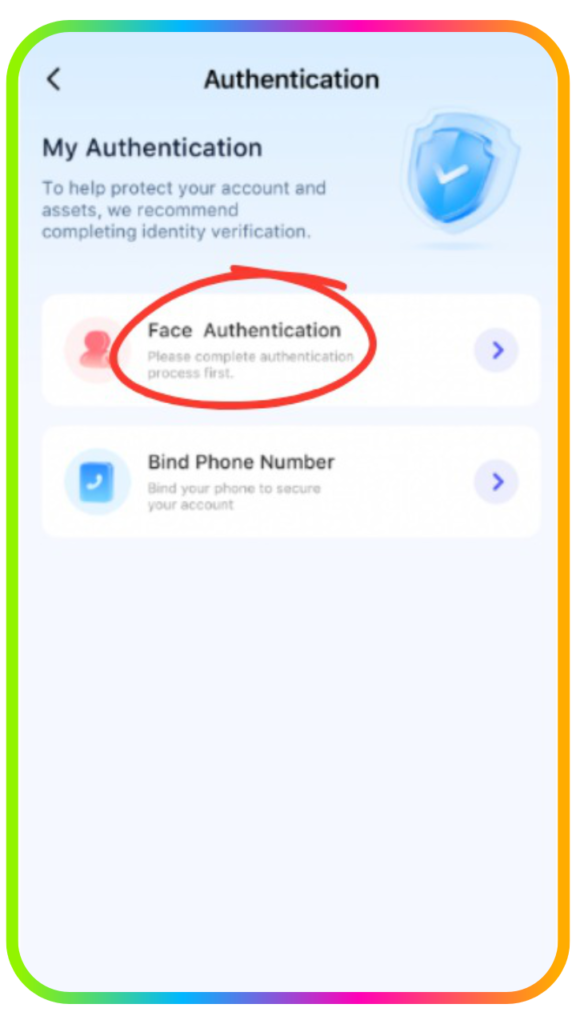
- Step 4: Position your face in front of the camera and click on ‘start to certificate.’
Lastly, you only have to follow the instructions given on the screen.
What You Need to Notice in Face Verification
- Choose the Right Background
Take a picture where there is enough light while considering your background color. Make sure your picture is not too bright or too dark. It’s important for you to watch for backlight so your result will be accurate.
- Correct your position
Face ahead and take position in the center of the camera and wait for instruction. Move your head and do as it says when the instruction tells you to blink, turn your head, or smile.
How to Join an Agency in Poppo Live?
By joining an agency, you will get more advantage than most live hosts who do everything alone. This step will show you how to join an agency.
- Step 1: Go to your profile
- Step 2: Scroll until you find ‘My Agency’ and click on it.
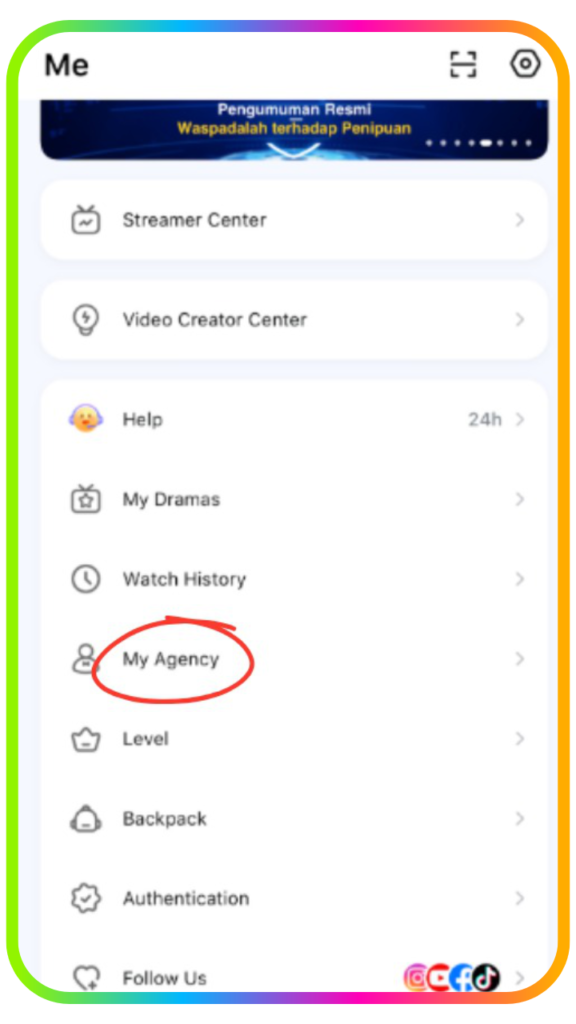
- Step 3: Choose the method.
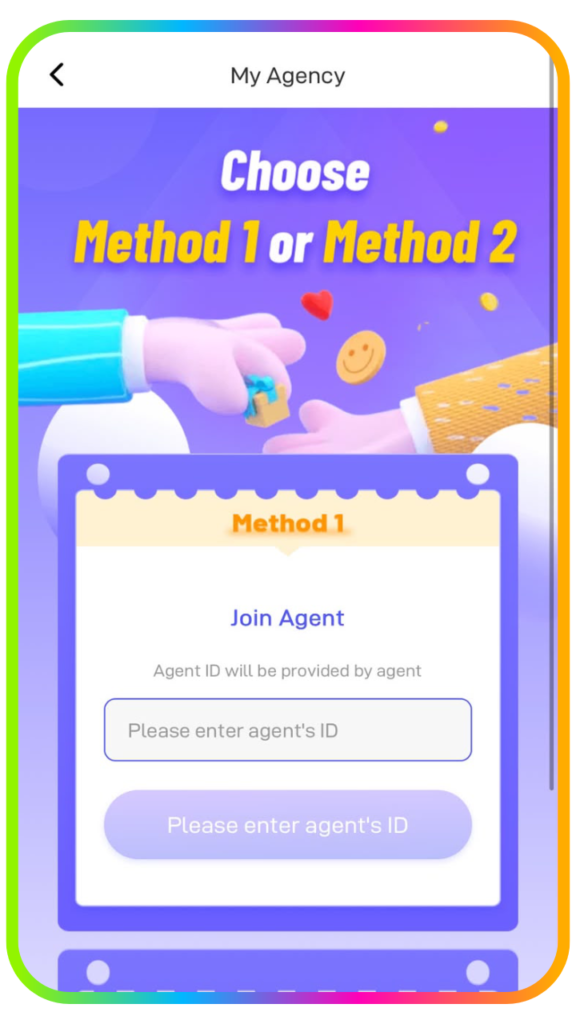
- Step 4: Enter the Agent ID ‘4345306’ inside the box
You can also share your Host ID with the agencies on Poppo Live and wait for the invitation on your account.
Frequently Asked Questions
- Why did my face authentication always fail?
First, you have to make sure your photo is clear. Leave enough light so your picture is not too bright or too dark. Position yourself in the center of the camera and follow the instruction (blink, turn your head, or smile).
- How long did it take to verify my account?
Verification can take up to 1-3 business days. You can check if your verification process is completed after 3 days. If you pass, your account will be switched to a verified host. But if it fails, repeat the verification process.
- Can I join more than one Poppo Live agency?
No, you can only join one agency for each account.
- How can I start my livestream?
Go to profile and click on ‘Streamer Center’. Right there, you can add more information about your livestream title and tags to make your livestream more specific to the audience.
- Can I change my username more than once?
You can change your username up to 2 times within the first 7 days of registration. After that, you only have one opportunity to change your nickname each month.
Start Your Own Poppo Live & Live Stream Community
Now, you’re ready to start your journey as a Poppo Live Host. With your account verified and set up, you can now begin your livestreaming and connecting with your audience. Keep exploring the platform’s features, stay consistent, and build a community with confidence. Looking for more tips and guides? Keep exploring our platform and discover more articles on this link to get the most of your Poppo Live experience. Join us now by sending us a message on this link or join as a host here and agency here.